

Key Highlights
- Copy machines are useful for work, school, and personal use, providing scanning, printing, copying, and faxing capabilities.
- Some key features to consider when choosing a copy machine include wireless capability, automatic document feeder, envelope feeder, and color printing options.
- Refurbished copy machines offer a cost-effective option with warranties and can be as reliable as brand new machines.
- Regular maintenance and cleaning, as well as updating software and replacing consumables, are essential for keeping your copy machine in good working condition.
- Finding the best deals on copy machines can be done through online marketplaces or local dealers, and negotiating prices can help you get the best value for your money.
Introduction
Copy machines are essential office equipment that can serve a variety of purposes. From making copies of important documents to scanning, printing, and faxing, copy machines offer a convenient and efficient way to manage your office workflow. But copy machines are not just limited to office use. They can also be valuable tools for small businesses and personal use.
In today’s blog, we will explore the top 10 must-have copy machines for sale now. These machines offer a range of features and capabilities to meet the needs of different users. Whether you need high-volume color printing, precision and productivity, innovative 5th color technology, or versatile color press capabilities, there is a copy machine on this list for you. Each machine is listed with its corresponding SKU number for easy ordering and reference.
We will also discuss how to choose the right copy machine for your needs, the benefits of investing in a high-quality machine, maintenance tips to keep your copy machine running smoothly, and where to find the best deals on copy machines.
So, if you’re in the market for a new copy machine or looking to upgrade your existing one, keep reading to discover the top 10 must-have copy machines for sale now and find the perfect one for your needs.

Top 10 Copy Machines Available for Purchase
If you’re in the market for a new copy machine, there are plenty of options to choose from. Here are the top 10 copy machines available for purchase now:
- Canon ImagePress C10000vp – High-Volume Color Printing
- Xerox Versant 180 Press – Precision and Productivity Combined
- Ricoh PRO C7200x – Innovative 5th Color Technology
- Konica Minolta AccurioPress C3070 – Versatile Color Press
- HP Designjet T2300 eMFP – All-in-One Plotter, Scanner, Copier
- Xerox Iridesse Production Press – Metallic Inks and Clear Coating
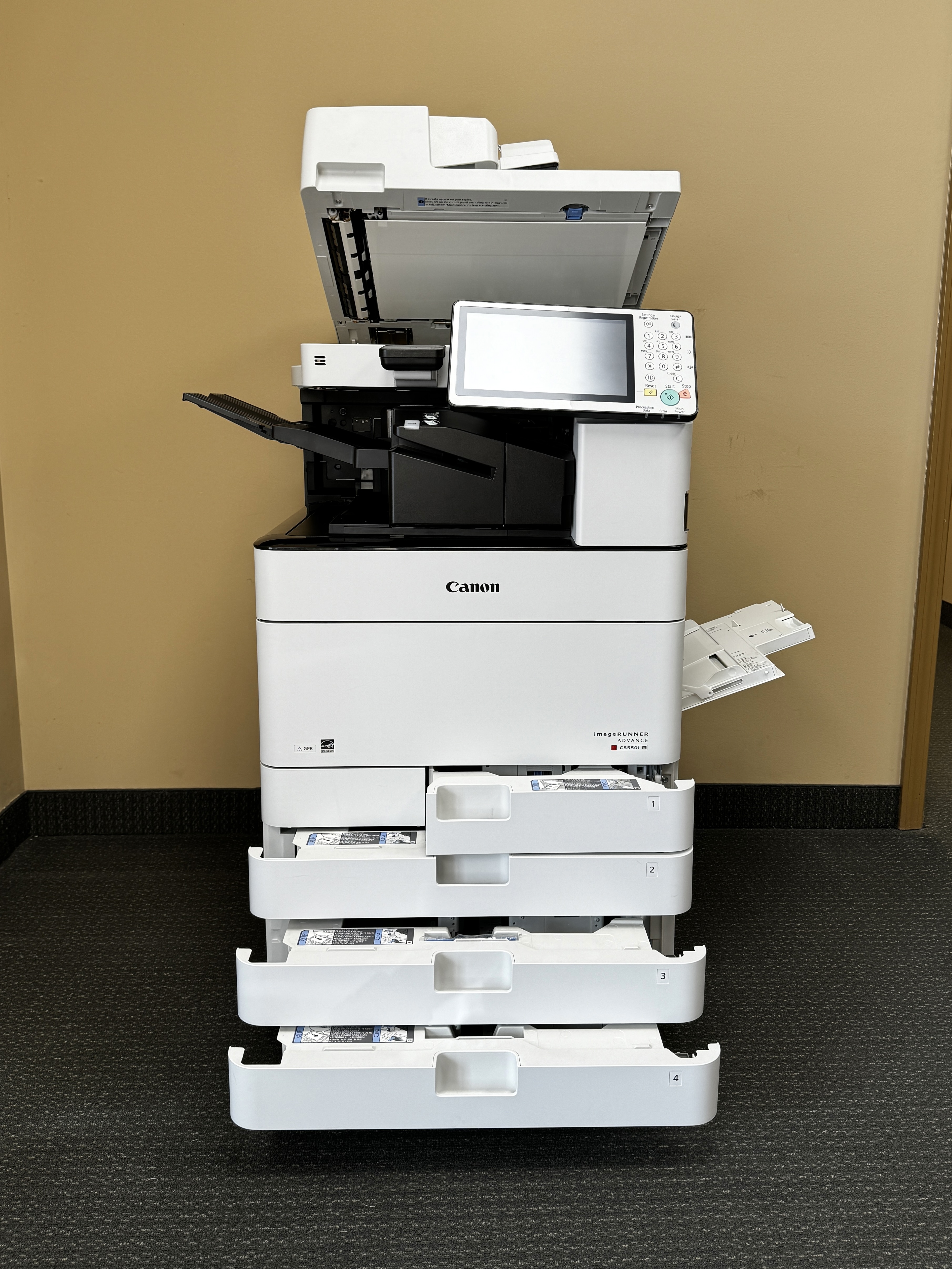
- Canon imageRUNNER ADVANCE 4535i B – Reliable Monochrome Solution
- Kyocera Ecosys M3645idn – Compact Multifunction Printer
- Ricoh Aficio SP 8400DN – High-Speed Black & White Printing
- Xerox PrimeLink C9065/C9070 – Exceptional Color Quality
These copy machines offer a range of features and capabilities, from high-volume color printing to compact multifunction options. Consider your specific needs and budget to choose the best copy machine for your requirements.



1. Canon ImagePress C10000vp – High-Volume Color Printing
The Canon ImagePress C10000vp is a copy machine that is designed for high-volume color printing. With its advanced technology and features, it is capable of delivering professional-quality prints at impressive speeds. The ImagePress C10000vp offers a resolution of up to 2400 x 2400 dpi, ensuring sharp and vibrant prints.
This copy machine is equipped with advanced color management tools to ensure accurate color reproduction. It also has a wide range of media handling capabilities, allowing you to print on various paper sizes and weights. Whether you need to print brochures, flyers, or business cards, the ImagePress C10000vp can handle it all with its impressive print speeds of up to 31 ISO pages per minute and scan speeds of up to 29/22 ISO images per minute (ipm).
In addition to its high-volume capabilities, the ImagePress C10000vp offers advanced finishing options, such as saddle stitching, perfect binding, and hole punching. This allows you to create professional-looking documents with ease.
If you’re looking for a copy machine that can handle high-volume color printing and deliver exceptional print quality, the Canon ImagePress C10000vp is an excellent choice.

https://www.youtube.com/channel/UCSoIxtP6J6oNo_d1njSluxw
2. Xerox Versant 180 Press – Precision and Productivity Combined
The Xerox Versant 180 Press is a copy machine that combines precision and productivity to deliver outstanding print quality. With its advanced digital press system, the Versant 180 Press can handle a wide range of print jobs, from simple documents to complex marketing materials.
This copy machine offers a resolution of up to 2400 x 2400 dpi, ensuring crisp and clear prints every time. It also features advanced color management tools, allowing you to achieve accurate color reproduction. Whether you’re printing brochures, flyers, or business cards, the Versant 180 Press can produce high-quality prints with ease. With the added feature of the Xerox WorkCentre 3655i Laser Color Printer Scanner Copier, this machine offers even more precision and productivity for your printing needs.
In terms of productivity, the Versant 180 Press offers impressive print speeds of up to 80 pages per minute. It also has a large paper capacity, allowing you to print large quantities without frequent paper reloads. With its advanced finishing options, such as booklet making and stapling, this copy machine can streamline your document production process.
If you’re looking for a copy machine that combines precision, productivity, and exceptional print quality, the Xerox Versant 180 Press is an excellent choice.


3. Ricoh PRO C7200x – Innovative 5th Color Technology
The Ricoh PRO C7200x is a copy machine that incorporates innovative 5th color technology to enhance your printing capabilities. With its unique ability to add a fifth color, such as white or clear coating, to your prints, the PRO C7200x allows for creative and eye-catching designs.
This copy machine offers a resolution of up to 2400 x 4800 dpi, ensuring sharp and vibrant prints. The addition of the fifth color opens up new possibilities for printing on specialty media or adding special effects to your prints.
In addition to its innovative 5th color technology, the PRO C7200x offers impressive print speeds of up to 95 pages per minute. It also has advanced finishing options, such as booklet making and hole punching, to streamline your document production process.
Whether you’re in the marketing and design industry or simply looking to add a unique touch to your prints, the Ricoh PRO C7200x with its innovative 5th color technology is an excellent choice.

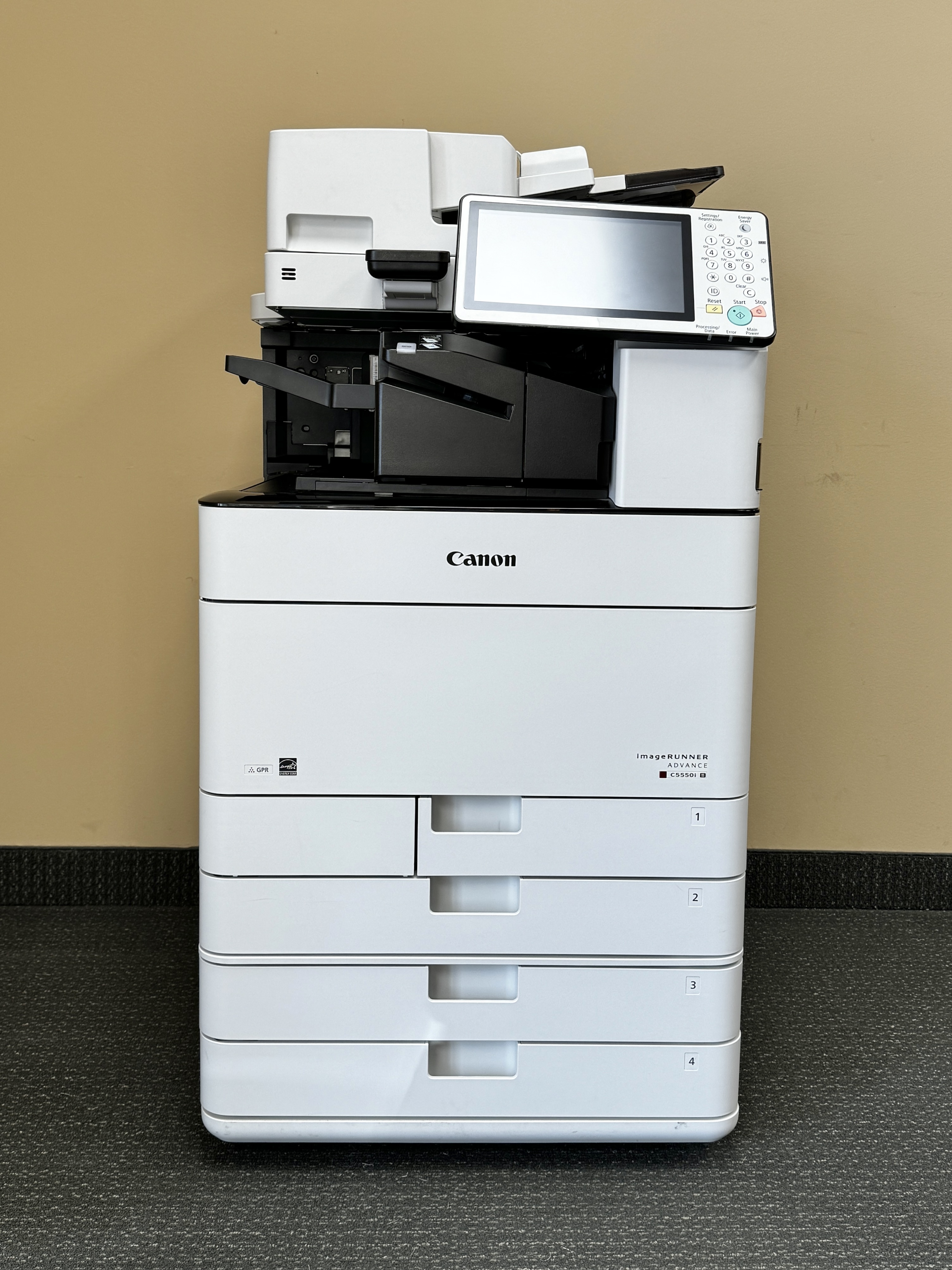


4. Konica Minolta AccurioPress C3070 – Versatile Color Press
The Konica Minolta AccurioPress C3070 is a versatile color press that offers a wide range of features to meet your printing needs. With its advanced technology and capabilities, this copy machine is designed to deliver high-quality prints with exceptional color accuracy.
The AccurioPress C3070 offers a resolution of up to 1200 x 1200 dpi, ensuring sharp and precise prints. It also features advanced color management tools, allowing you to achieve accurate color reproduction. Whether you’re printing marketing materials, brochures, or business cards, the AccurioPress C3070 can produce stunning prints with ease.
In addition to its versatile color capabilities, this copy machine offers impressive print speeds of up to 70 pages per minute. It also has advanced finishing options, such as saddle stitching and folding, to streamline your document production process.
If you’re looking for a versatile color press that can deliver high-quality prints with exceptional color accuracy, the Konica Minolta AccurioPress C3070 is an excellent choice.


https://www.wholefoodsmarket.com
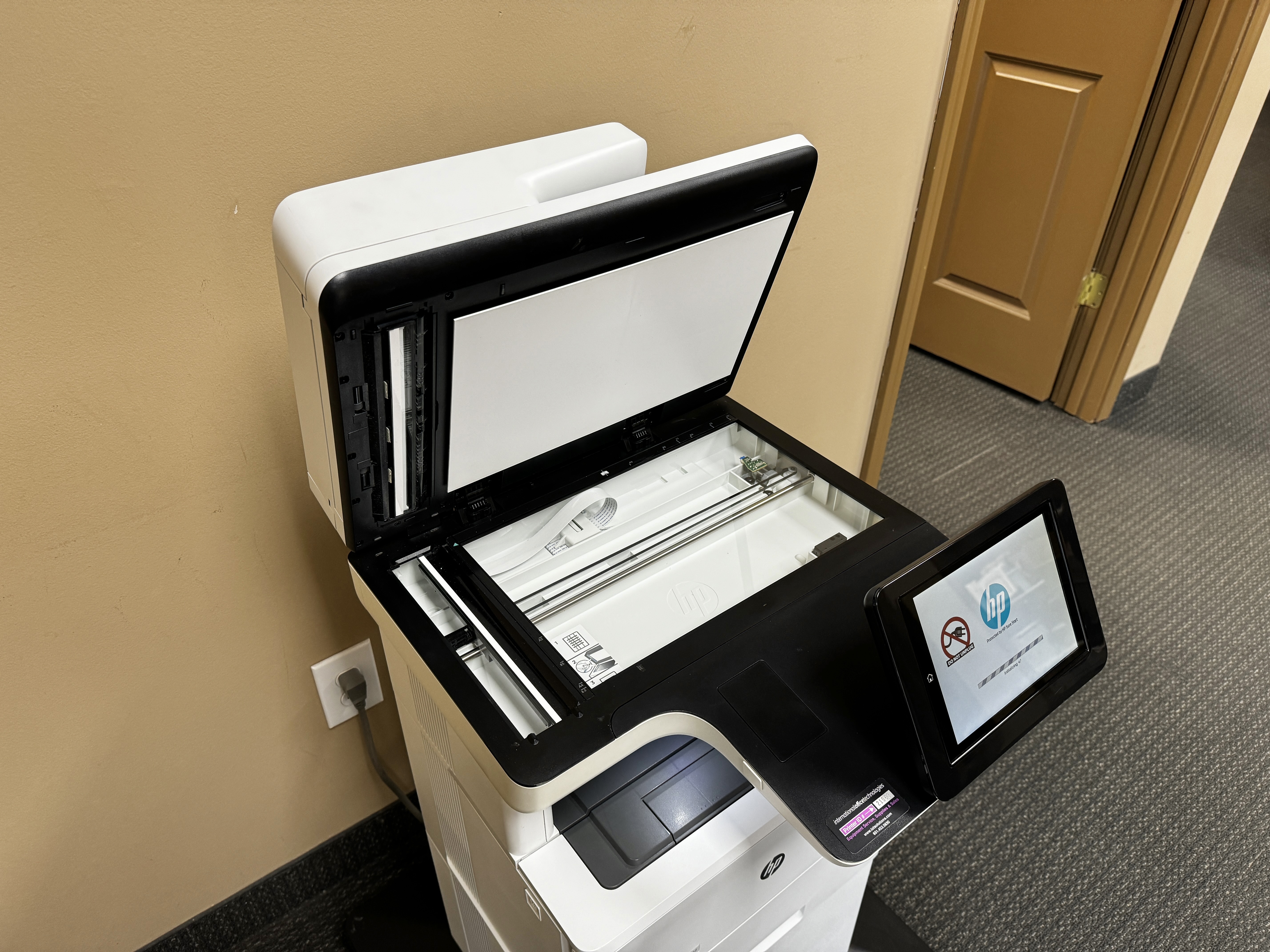
5. HP Designjet T2300 eMFP – All-in-One Plotter, Scanner, Copier
The HP Designjet T2300 eMFP is an all-in-one plotter, scanner, and copier that offers a range of capabilities to meet your printing needs. Whether you’re printing large-format documents, scanning drawings, or making copies of important papers, this copy machine can handle it all.
The Designjet T2300 eMFP features a built-in scanner that allows you to easily scan and digitize your documents. It also offers a large-format printing capability, allowing you to print documents up to 44 inches wide. With its advanced color management tools, this HP Desktop All-in-One printer can deliver accurate color reproduction, ensuring vibrant and detailed prints.
In addition to its printing and scanning capabilities, the Designjet T2300 eMFP can also function as a copier. With its intuitive touchscreen interface and automatic document feeder, this copy machine makes copying documents a breeze.
If you’re looking for an all-in-one solution for your printing, scanning, and copying needs, the HP Designjet T2300 eMFP is an excellent choice.


https://www.tiktok.com/@alibaba.com_buyercentral
6. Xerox Iridesse Production Press – Metallic Inks and Clear Coating
The Xerox Iridesse Production Press is a copy machine that offers stunning metallic inks and clear coating capabilities, allowing you to add a touch of elegance and creativity to your prints. With its advanced technology and features, the Iridesse Production Press can deliver exceptional print quality and unique effects.
This copy machine features four-color printing with the option to add metallic inks, such as silver, gold, and white, to your prints. It also offers a clear coating option, which adds a glossy and protective layer to your prints. With these capabilities, you can create eye-catching designs and print materials that stand out from the crowd using the latest color laser technology.
In addition to its metallic inks and clear coating capabilities, the Iridesse Production Press offers impressive print speeds of up to 120 pages per minute. It also has advanced finishing options, such as booklet making and folding, to streamline your document production process.
If you’re looking for a copy machine that can deliver exceptional print quality with metallic inks and clear coating capabilities, the Xerox Iridesse Production Press is an excellent choice.
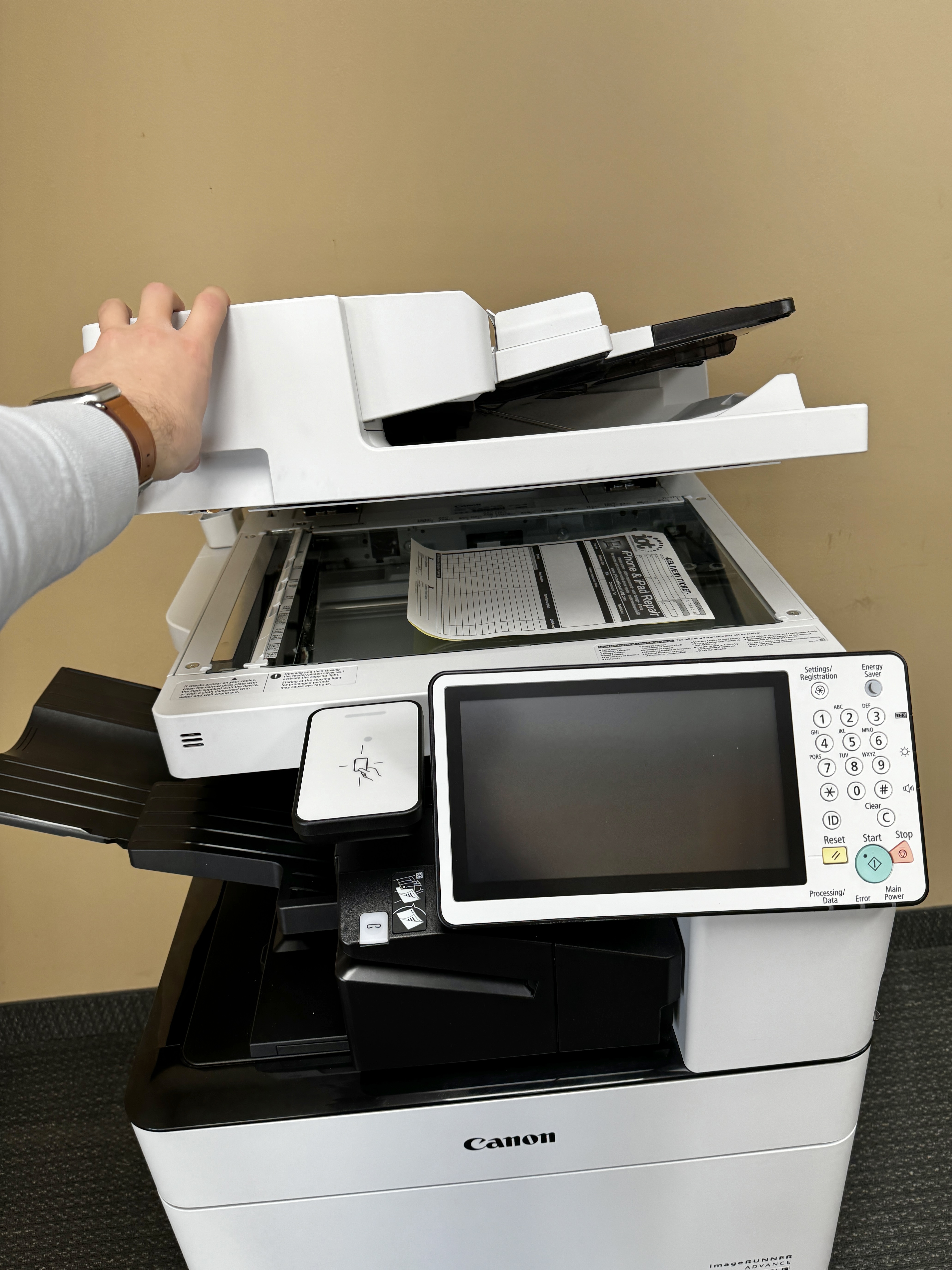
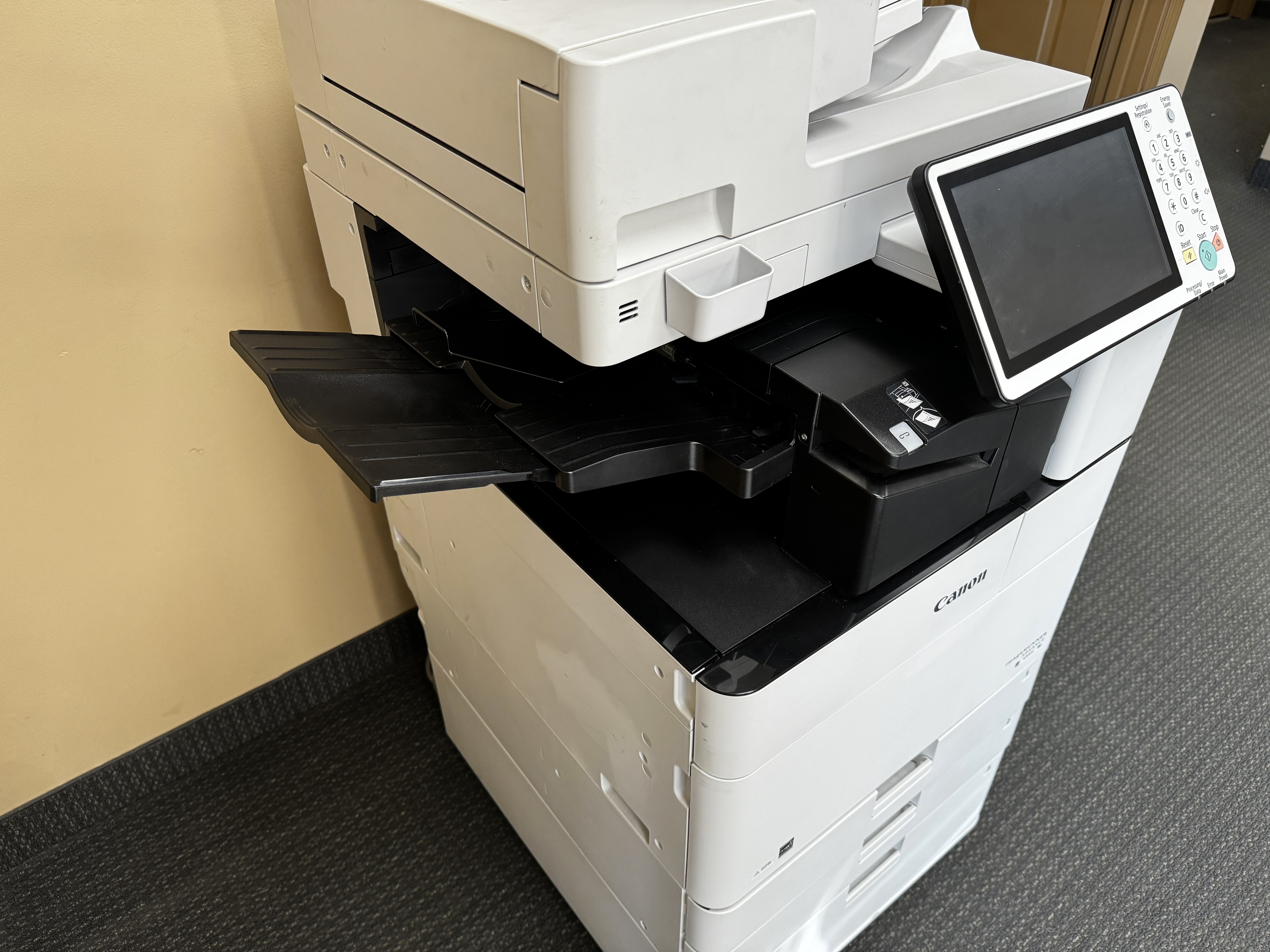
7. Canon imageRUNNER ADVANCE 4535i B – Reliable Monochrome Solution
The Canon imageRUNNER ADVANCE 4535i B is a reliable monochrome solution designed to meet the needs of small businesses and workgroups. With its advanced features and capabilities, this copy machine can streamline your document workflow and improve productivity.
The imageRUNNER ADVANCE 4535i B offers impressive print speeds of up to 35 pages per minute, ensuring fast and efficient printing. It also has a large paper capacity, allowing you to handle high-volume print jobs without frequent paper reloads.
In terms of reliability, this copy machine is built to withstand heavy use and deliver consistent performance. It also offers advanced security features to protect your sensitive information.
With its intuitive touchscreen interface and advanced scanning capabilities, the imageRUNNER ADVANCE 4535i B can also function as a powerful document management tool. Whether you need to scan and digitize documents or send them directly to email or cloud storage, this copy machine can handle it all.
If you’re looking for a reliable monochrome solution that can improve productivity and streamline your document workflow, the Canon imageRUNNER ADVANCE 4535i B is an excellent choice.




8. Kyocera Ecosys M3645idn – Compact Multifunction Printer
The Kyocera Ecosys M3645idn is a compact multifunction printer that offers a range of features and capabilities in a small footprint. This copy machine is designed to meet the needs of small businesses and workgroups that require high-quality prints and efficient document management.
Despite its compact size, the Ecosys M3645idn offers impressive print speeds of up to 47 pages per minute, ensuring fast and efficient printing. It also has a large paper capacity and automatic duplexing capabilities, allowing you to handle high-volume print jobs with ease.
This copy machine features advanced scanning capabilities, including scan-to-email, scan-to-folder, and scan-to-USB, making it easy to digitize and manage your documents. It also offers a range of security features, such as secure printing and user authentication, to protect your sensitive information.
With its compact design and versatile features, the Kyocera Ecosys M3645idn is an excellent choice for small businesses and workgroups that require a reliable and efficient multifunction printer.
9. Ricoh Aficio SP 8400DN – High-Speed Black & White Printing
The Ricoh Aficio SP 8400DN is a copy machine that is designed for high-speed black and white printing. With its advanced technology and features, this machine can deliver exceptional print quality and fast printing speeds.
The Aficio SP 8400DN offers impressive print speeds of up to 60 pages per minute, ensuring fast and efficient printing. It also has a large paper capacity, allowing you to handle high-volume print jobs without frequent paper reloads.
This copy machine features a resolution of up to 1200 x 1200 dpi, ensuring sharp and clear prints. It also offers advanced security features, such as user authentication and data encryption, to protect your sensitive information.
With its reliable performance and high-speed capabilities, the Ricoh Aficio SP 8400DN is an excellent choice for businesses that require fast and efficient black and white printing.
https://www.onetrust.com/products/cookie-consent/
10. Xerox PrimeLink C9065/C9070 – Exceptional Color Quality
The Xerox PrimeLink C9065/C9070 is a copy machine that offers exceptional color quality and a range of features to meet your printing needs. With its advanced color management tools and capabilities, this machine can deliver vibrant and detailed prints every time.
The PrimeLink C9065/C9070 offers a resolution of up to 2400 x 2400 dpi, ensuring sharp and precise prints. It also features advanced color management tools, allowing you to achieve accurate color reproduction. Whether you’re printing brochures, flyers, or marketing materials, this machine can produce stunning prints with exceptional color accuracy.
In addition to its exceptional color quality, the PrimeLink C9065/C9070 offers impressive print speeds of up to 70 pages per minute. It also has advanced finishing options, such as booklet making and hole punching, to streamline your document production process.
If you’re looking for a copy machine that can deliver exceptional color quality and a range of features to meet your printing needs, the Xerox PrimeLink C9065/C9070 is an excellent choice.
How to Choose the Right Copy Machine for Your Needs
Choosing the right copy machine for your needs can be a daunting task, especially with the wide range of options available. Here are some key features to consider when selecting a copy machine:
- Print speed: Determine the required print speed based on your printing volume and deadlines.
- Paper handling: Consider the paper sizes and weights you need to print on and ensure the machine can handle them.
- Connectivity: Choose a machine with wireless capability if you require network printing.
- Finishing options: If you need to produce professional-quality documents, consider machines with advanced finishing options, such as stapling and booklet making.
- Cost: Evaluate your budget and consider the cost of consumables, such as toner cartridges and maintenance, when selecting a machine.
By considering these key features and your specific needs, you can choose the right copy machine that will meet your requirements and improve your office productivity.
Understanding Different Types of Copy Machines
There are several different types of copy machines available, each with its own unique features and capabilities. Understanding the differences between these types can help you choose the right one for your needs. Here are the most common types of copy machines:
- Laser printers: These machines use laser technology to produce high-quality prints quickly and efficiently. They are known for their sharp image quality and fast print speeds.
- Inkjet printers: Inkjet machines use ink cartridges to produce prints. They are known for their vibrant color reproduction and ability to print on a wide range of media.
- Digital press systems: These machines are designed for high-volume and high-quality printing. They use advanced technology to deliver professional-quality prints quickly and efficiently.
When choosing a copy machine, consider the type of printing you need to do and the volume of printing you expect. This will help you determine which type of machine is best suited for your needs.
Key Features to Look for When Buying a Copy Machine
When buying a copy machine, it’s important to consider the key features that will meet your specific needs. Here are some key features to look for:
- Print speed: Consider the number of pages per minute (ppm) the machine can print to ensure it meets your printing volume requirements.
- Automatic document feeder (ADF): An ADF allows you to load multiple pages for scanning or copying at once, saving time and effort.
- Fax capability: If you need to send and receive faxes, choose a machine with built-in fax functionality.
- Scanner capabilities: Look for a machine with high-resolution scanning capabilities if you need to digitize documents.
- Copier capabilities: Ensure the machine has the ability to make copies quickly and accurately.
By considering these key features, you can choose a copy machine that will meet your specific requirements and improve your office efficiency.
Benefits of Investing in a High-Quality Copy Machine-Toner
Investing in a high-quality copy machine offers several benefits for your business or personal use. Here are some key advantages:
- Improved efficiency: High-quality copy machines can handle large volumes of printing, saving time and increasing productivity.
- Enhanced print quality: High-quality machines produce sharp and vibrant prints, ensuring professional-looking documents.
- Versatility: Many high-quality copy machines offer multifunction capabilities, allowing you to scan, print, copy, and fax from a single device.
By investing in a high-quality copy machine, you can improve your office efficiency, produce high-quality prints, and enjoy the versatility of a multifunction device.
Improved Efficiency and Productivity
A high-quality copy machine can significantly improve the efficiency and productivity of your office. Here’s how:
- Fast printing speeds: High-quality copy machines can print large volumes of documents quickly, reducing waiting times and increasing productivity.
- Automatic document feeder (ADF): An ADF allows you to load multiple pages for scanning or copying at once, saving time and effort.
- Multifunction capabilities: Many high-quality copy machines offer scanning, printing, copying, and faxing capabilities, eliminating the need for multiple devices and streamlining your office workflow.
- Enhanced document management: High-quality copy machines often come with advanced features, such as document management software, that can help you organize and retrieve documents more efficiently.
By investing in a high-quality copy machine, you can improve the overall efficiency and productivity of your office, saving time and resources.
Enhanced Print Quality and Versatility
One of the key benefits of investing in a high-quality copy machine is the enhanced print quality and versatility it offers. Here’s how:
- Sharp and vibrant prints: High-quality copy machines produce prints with exceptional clarity and color accuracy, ensuring professional-looking documents.
- Versatile media handling: Many high-quality machines can handle a wide range of media, allowing you to print on various paper sizes and weights.
- Color accuracy: High-quality copy machines can reproduce colors accurately, ensuring that your prints reflect the true colors of your original documents.
- Specialized printing capabilities: Some high-quality machines offer additional features, such as the ability to print on specialty media or add special effects to your prints.
By investing in a high-quality copy machine, you can enjoy enhanced print quality and versatility, allowing you to create professional-looking documents and explore creative printing options.
Maintenance Tips for Your Copy Machine-MFP
Proper maintenance of your copy machine is essential to ensure its longevity and optimal performance. Here are some maintenance tips to keep your copy machine running smoothly:
- Regular cleaning and servicing: Follow the manufacturer’s guidelines for cleaning and servicing your machine to prevent dust and debris buildup.
- Updating software: Regularly update the machine’s software to ensure it has the latest features and security patches.
- Replacing consumables: Replace toner cartridges, ink, and other consumables when they run low to maintain print quality.
- Schedule professional servicing: Arrange for professional servicing periodically to keep your machine in optimal condition.
By following these maintenance tips, you can extend the life of your copy machine and avoid costly repairs or downtime.
Regular Cleaning and Servicing
Regular cleaning and servicing are crucial for maintaining the performance and longevity of your copy machine. Here are some tips for regular cleaning and servicing:
- Dusting: Use a soft, lint-free cloth to wipe the exterior surfaces and remove dust and debris. Pay special attention to the paper trays and feed rollers.
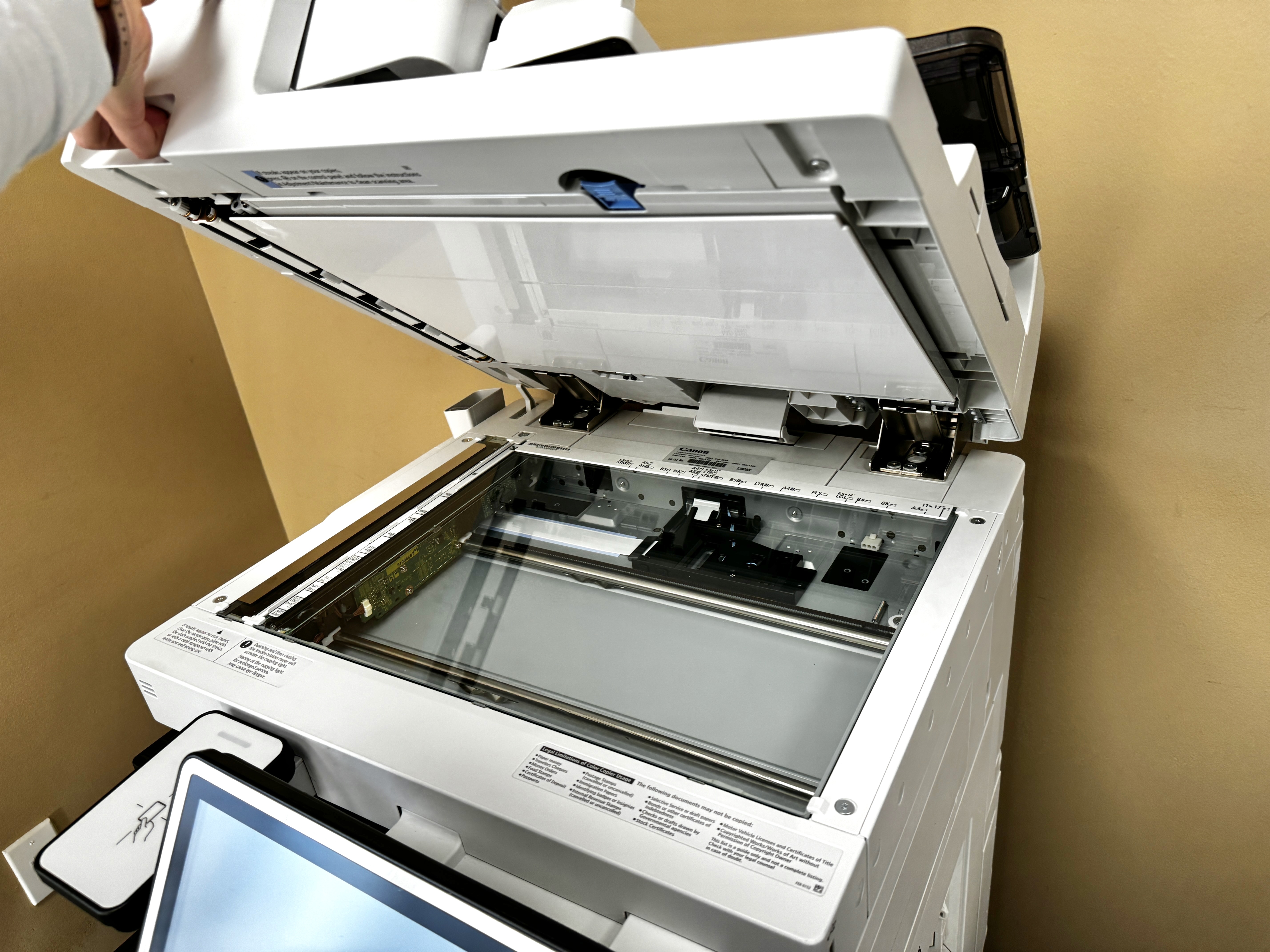
- Cleaning the glass: Clean the glass platen with a glass cleaner and a soft cloth to remove smudges and fingerprints. Avoid using abrasive cleaners or rough materials that could scratch the glass.
- Servicing schedule: Follow the manufacturer’s recommended servicing schedule to keep your machine in optimal condition. This may include professional cleaning, lubrication, and calibration.
By incorporating regular cleaning and servicing into your maintenance routine, you can ensure that your copy machine continues to operate at its best and produce high-quality prints.
Updating Software and Replacing Consumables
Updating software and replacing consumables are important maintenance tasks for your copy machine. Here’s why:
- Software updates: Regularly updating your machine’s software ensures that it has the latest features, security patches, and bug fixes. Check the manufacturer’s website for software updates or configure your machine to automatically check for updates.
- Replacing consumables: Toner cartridges, ink, and other consumables need to be replaced when they run low. Following the manufacturer’s guidelines for replacing consumables ensures optimal print quality and prevents damage to the machine.
By staying up to date with software updates and replacing consumables in a timely manner, you can ensure that your copy machine continues to operate smoothly and produce high-quality prints.
Where to Find the Best Deals on Copy Machines
When looking for the best deals on copy machines, consider these options:
- Online marketplaces: Websites like Amazon, eBay, and Best Buy offer a wide selection of copy machines at competitive prices.
- Local dealers: Check with local office equipment dealers or suppliers for special offers or discounts.
- Negotiating prices: Don’t be afraid to negotiate prices with dealers or sellers to get the best deal possible. Consider factors like warranty, service agreements, or additional accessories when negotiating.
By exploring online marketplaces, local dealers, and negotiating prices, you can find the best deals on copy machines and get the most value for your money.
Online Marketplaces vs. Local Dealers
When it comes to buying a copy machine, you have the option to purchase from online marketplaces or local dealers. Here are some considerations for each:
Online marketplaces, like Amazon and Best Buy, offer a wide selection of copy machines and often provide competitive prices. They also allow you to read customer reviews and compare different models easily. However, you may not have the opportunity to see the machine in person or get hands-on assistance.
Local dealers, on the other hand, offer a more personalized experience. They can provide expert advice, demonstrate different models, and offer hands-on assistance. They may also offer additional services, such as installation and maintenance. However, prices at local dealerships may be higher compared to online marketplaces.
Ultimately, the choice between online marketplaces and local dealers depends on your preferences and requirements. Consider factors like price, convenience, support, and additional services when making your decision. When buying a copy machine for sale, negotiating prices can help you get the best deal possible. Here are some tips for negotiating prices:
Do your research: Research different models and their prices, both online and at local dealers. This will give you an idea of the average price range and help you negotiate effectively.
Compare prices: Shop around and compare prices from different sellers or dealers. This will give you leverage when negotiating.
Bundle deals: Consider bundling additional accessories, such as extra paper trays or toner cartridges, to negotiate a better price.
Payment options: Ask about payment options, such as paying with a credit card, as this may give you additional leverage for negotiating.
Shipping and installation: Negotiate shipping and installation costs if you’re purchasing online or from a local dealer.
By following these tips and being prepared, you can negotiate prices and get the best value for your money when buying a copy machine for sale.
Conclusion
In conclusion, choosing the right copy machine is crucial for meeting your business needs efficiently. From high-volume color printing to innovative technology like metallic inks and clear coating, there are various options available. Investing in a high-quality copy machine can significantly enhance productivity and print quality. Remember to maintain your copy machine by regular cleaning and servicing for optimal performance. Whether you prefer online marketplaces or local dealers, finding the best deals requires careful Consideration. Understanding your requirements and the key features of photocopy machines for sale will guide you in making the best choice for your business needs.
Frequently Asked Questions
What Is the Lifespan of a Photocopy Machine for Sale?
The lifespan of a photocopy machine for sale can vary depending on various factors, such as usage, maintenance, and model. On average, a well-maintained photocopy machine for sale can last around 5 to 7 years. Many manufacturers offer warranties that cover a specific period, usually 1 to 3 years, which can give you peace of mind regarding durability and support.
Can Photocopy Machines for Sale Also Scan and Print Documents?
Yes, many photocopy machines for sale are multifunction printers that offer scanning and printing capabilities. These machines, also known as laser multifunction printer copier scanners, allow you to scan documents and print them directly from the same device, eliminating the need for separate machines.
How Often Should a Photocopy Machine for Sale Be Serviced?
The frequency of servicing a photocopy machine for sale depends on various factors, such as usage and manufacturer recommendations. As a general guideline, it is recommended to have your photocopy machine for sale serviced at least once a year or as suggested by the manufacturer to maintain optimal performance and prevent potential issues.
Are Color Copy Machines More Expensive Than Black and White Ones?
Yes, color copy machines for sale are generally more expensive than black and white ones for sale due to the additional technology and components required for color printing. The price difference can vary depending on the model and brand, so it’s important to consider your specific needs and budget when choosing between color and black and white copy machines for sale.
What Should I Do If My Copy Machine for Sale Breaks Down?
If your copy machine for sale breaks down, first try troubleshooting the issue by checking for any paper jams or error messages. If the problem persists, contact the manufacturer’s customer service or look for authorized service centers in your area. If your machine is still under warranty, be sure to check if the repairs are covered.
Is It Better to Lease or Buy a Copy Machine for Sale?
The decision to lease or buy a copy machine for sale depends on your specific business needs and financial situation. Leasing allows for lower upfront costs and the option to upgrade to newer models. Buying a copy machine for sale provides long-term ownership and may be more cost-effective in the long run. Consider factors such as budget, usage, and technology updates before making a decision.
Can I Connect My Copy Machine to a Network?
Yes, many copy machines for sale can be connected to a network, allowing for easy printing and scanning from multiple devices. Some machines for sale also support wireless connectivity, making it even more convenient to print directly from smartphones or tablets. Check the specifications of the copy machine for sale you’re interested in to ensure it has the connectivity options you need.
What Are the Environmental Considerations of Using a Copy Machine?
When using a copy machine for sale, there are several environmental considerations to keep in mind. Look for copy machines for sale that have energy-saving features and are ENERGY STAR certified. Using recycled paper and practicing double-sided printing can also help reduce waste. Additionally, proper disposal of toner cartridges and regular maintenance can contribute to a more sustainable printing environment.
How Can I Ensure the Security of Documents Copied or Printed?
To ensure the security of documents copied or printed, it’s important to choose a copy machine for sale with robust security features. Look for features such as user authentication, data encryption, and secure printing. Implementing secure network protocols and regularly updating firmware can also help protect sensitive information.
What Is the Difference Between a Copy Machine and a Multifunction Printer?
The main difference between a copy machine and a multifunction printer is that a copy machine is primarily designed for making copies, while a multifunction printer combines copy, print, scan, and sometimes fax capabilities in one device. Multifunction printers, also known as all-in-one printers, offer greater versatility and convenience for various office tasks. Are There Copy Machines That Offer Cloud Printing Options? Yes, many modern copy machines for sale offer cloud printing options, allowing for easy access and remote printing. This feature enables users to print documents directly from their cloud storage accounts or mobile devices. It provides greater accessibility and convenience, especially for users who frequently work from different locations. How Do I Choose the Right Paper for My Copy Machine? Choosing the right paper for your copy machine depends on the specific printing needs and desired quality. Consider factors such as paper weight, brightness, and finish. Copy machines for sale typically support a variety of media types, including plain paper, cardstock, and glossy paper. Refer to the copy machine’s specifications to ensure compatibility with the paper you choose.
Conclusion:
In conclusion, copy machines for sale are versatile and essential office equipment that can be used in various settings, including homes, small businesses, and larger organizations. When choosing a copy machine for sale, consider factors such as your printing needs, budget, and desired features. The top 10 must-have copy machines for sale now offer a range of options from reputable brands like Canon, HP, Konica Minolta, Kyocera, Lexmark, Ricoh, Sharp, Toshiba, and Xerox. Whether you’re looking for basic copying capabilities or a multifunction device with advanced features, there is a copy machine for sale available to suit your needs. Remember to consider environmental considerations and document security when using a copy machine for sale, and choose the right paper for optimal print quality. With the right copy machine for sale, you can streamline your document management processes and enhance productivity in your workspace.
Can Copy Machines Print on Different Types of Media?
Yes, copy machines for sale can print on various media types including paper, cardstock, envelopes, transparencies, and labels. Some advanced models can even print on specialty media like glossy paper or photo paper for high-quality prints.


