
Key Highlights
- Find the perfect commercial copier for your business needs with our comprehensive network of leading suppliers and brands across the country.
- Benefit from nationwide reach and local service, ensuring quality and convenience no matter where your office is located.
- Tailored solutions for every business model: rent, lease, or buy the commercial copier that aligns best with your needs and budget.
- Save up to 30% on premium office copiers with our unbeatable savings.
- Partner with trusted brands like Xerox and Canon for reliable, high-performance equipment.
Introduction
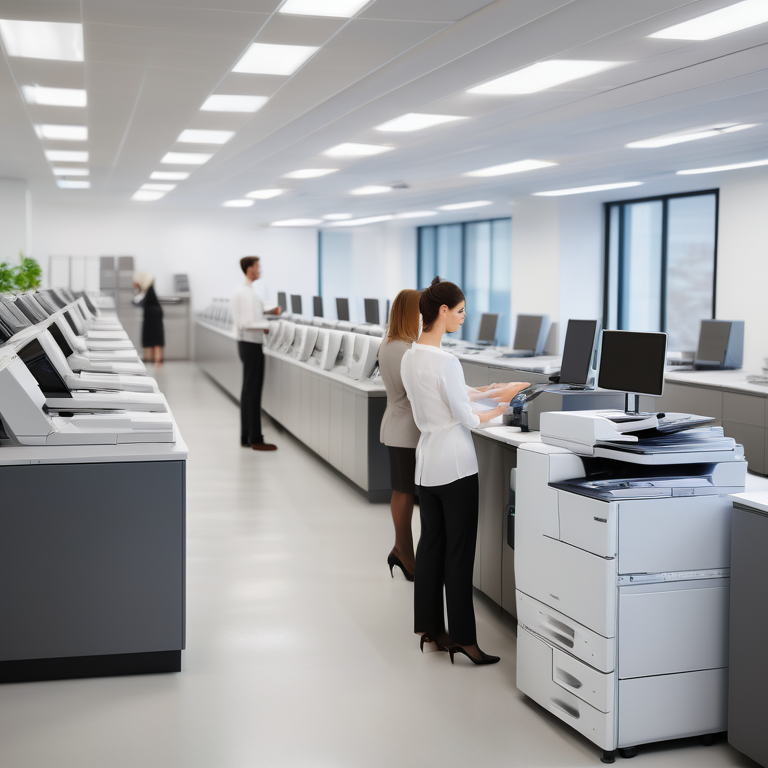
When it comes to running a successful office, having the right tools and equipment is essential. One such tool that is vital for any office environment is a commercial copy machine. Commercial copy machines, also known as multifunction printers, are an integral part of office technology and play a crucial role in enhancing productivity and efficiency.
In this blog, we will explore the world of commercial copy machines and highlight the best options available for offices. We will discuss the evolution of copy machines in the office environment, the key features to look for in a commercial copy machine, and the top brands that offer reliable and innovative solutions. Additionally, we will guide you in choosing the right copy machine for your office, including factors to consider such as assessing your office’s copying needs and comparing lease vs. purchase options.
Furthermore, we will delve into the integration of copy machines in a digital workplace, including how they complement digital workflows and the security features they offer. We will also provide maintenance tips for your office copy machine to ensure its longevity and troubleshoot common issues that may arise. Lastly, we will touch upon environmental considerations and discuss energy efficiency, eco-friendly features, and the recycling and disposal of old copy machines.
Understanding Commercial Copy Machines
Before we dive into the specifics, let’s first understand what commercial copy machines are and how they differ from regular office printers. A commercial copy machine, also known as a multifunction printer, is a versatile device that combines the functionality of a printer, scanner, copier, and sometimes even a fax machine. These machines are designed to handle high-volume printing and copying tasks commonly found in office environments.
The term “commercial” refers to the fact that these machines are built to withstand the demands of a busy office and offer advanced features and capabilities not typically found in consumer-grade printers. With their multifunctionality and ability to handle various tasks, commercial copy machines are an essential tool for any office looking to streamline its document management processes and increase productivity.
https://preferences.business.xerox.com/US
The Evolution of Copy Machines in the Office Environment
Over the years, copy machines have evolved significantly to meet the changing needs of the office environment. In the past, copy machines were bulky and could only perform basic copying functions. However, advancements in technology have led to the development of more sophisticated and efficient machines.
Modern commercial copy machines now offer a wide range of features, including wireless connectivity, advanced security options, and the ability to handle large printing volumes. They have become an integral part of office workflows, allowing employees to print, copy, scan, and fax documents seamlessly. The integration of digital technology has also made it possible to store and retrieve documents directly from the machine, eliminating the need for physical storage space.
Today, commercial copy machines are designed to be user-friendly, energy-efficient, and capable of handling a variety of printing tasks. They are a vital tool for businesses of all sizes, enabling them to optimize their document management processes and improve overall efficiency.
Key Features to Look for in a Commercial Copy Machine
When choosing a commercial copy machine for your office, it’s important to consider several key features to ensure that you invest in the right equipment. Here are some essential features to look for:
- Wifi Connectivity: Look for a copy machine that offers wifi connectivity, allowing users to print and scan documents wirelessly from their computers or mobile devices.
- Security Features: Ensure that the copy machine has robust security features to protect sensitive information, such as secure printing and user authentication.
- Printing Volume: Consider the printing volume your office requires and choose a machine that can handle the workload without compromising quality or speed.
- Variety of Features: Look for a copy machine that offers a variety of features such as duplex printing, automatic document feeder, and advanced finishing options like stapling and hole punching.
- Ease of Use: Choose a copy machine that is intuitive and user-friendly to minimize the learning curve for employees.
By considering these features, you can find a commercial copy machine that meets your office’s specific needs and enhances your productivity.
https://www.fountain.com/jobs/amazon-delivery-service-partner
Top Commercial Copy Machine Brands
When it comes to commercial copy machines, several brands have established themselves as industry leaders. These brands are known for their innovation, reliability, and commitment to providing high-quality office equipment. Here are two top commercial copy machine brands to consider:
Xerox: Innovation and Reliability
Xerox is a renowned name in the world of office technology and has been a pioneer in the field for decades. The company is known for its commitment to innovation and has continuously pushed the boundaries of what copy machines can do. Xerox offers a wide range of commercial copy machines that are known for their reliability, performance, and advanced features. From compact models for small offices to high-volume machines for large enterprises, Xerox has a solution for every business’s copying needs.
Canon: Precision and Quality
Canon is another trusted brand when it comes to commercial copy machines. Known for its precision and quality, Canon offers a range of premium office copiers that deliver exceptional print quality and performance. Canon’s copy machines are designed to meet the demands of modern office environments, with features like advanced scanning capabilities, high-speed printing, and user-friendly interfaces. Whether you need a compact machine for a small office or a high-volume solution for a large enterprise, Canon has a wide range of options to choose from.
Choosing the Right Copy Machine for Your Office
Choosing the right copy machine for your office is crucial to ensure that you invest in equipment that meets your specific needs. There are several factors to consider when making this decision, including your office’s copying needs, budget, and preferred purchasing options. In the following sections, we will explore these factors in more detail and provide guidance to help you make an informed decision.
https://www.shop.xerox.com/versalink-b600-b610
Assessing Your Office’s Copying Needs
Assessing your office’s copying needs is the first step in choosing the right copy machine. Consider factors such as the size of your office, the volume of documents that need to be copied, and the specific features required to meet your office’s workflow. For medium businesses, investing in a copy machine that offers a good balance between cost and functionality is essential. It’s important to find the right copier that can handle the workload and provide the necessary features without unnecessary complexity or cost.
Comparing Lease vs. Purchase Options
When it comes to acquiring a commercial copy machine, businesses have two primary options: leasing or purchasing. Both options have their advantages, and the choice depends on your business’s specific circumstances. Leasing is a great way to acquire a copy machine without a significant upfront investment. It allows you to pay a monthly fee for the use of the equipment, often including maintenance and support. Leasing also provides the flexibility to upgrade to newer models as your business needs evolve. On the other hand, purchasing a copy machine outright gives you full ownership and control over the equipment. It may be a better option if your business has the financial capabilities and plans to use the copy machine for an extended period.
https://www.wholefoodsmarket.com
The Integration of Copy Machines in a Digital Workplace
In today’s digital age, the integration of copy machines in a digital workplace is essential to enhance efficiency and productivity. Copy machines have evolved beyond their traditional functions and are now an integral part of digital workflows. They seamlessly integrate with digital systems, allowing for easy document sharing, storing, and retrieval. With the right copy machine, you can centralize your office’s document management processes, streamline workflows, and reduce time spent on manual tasks. In the following sections, we will explore how copy machines complement digital workflows and the security features they offer.
How Copy Machines Complement Digital Workflows
Copy machines play a central role in digital workflows by streamlining document management processes and improving collaboration in the office. With the ability to scan documents directly into digital formats and store them in centralized systems, copy machines eliminate the need for physical filing cabinets and reduce the risk of document loss or misplacement. They also integrate seamlessly with other office printers and devices, allowing for easy printing and sharing of digital documents. By leveraging the capabilities of modern copy machines, businesses can create a digital workplace where information flows smoothly, employees can access documents from anywhere, and collaboration becomes more efficient.
Security Features in Modern Copy Machines
With the increasing importance of data protection and document security, modern copy machines come equipped with advanced security features. These features are designed to safeguard sensitive information and prevent unauthorized access. Some common security features include secure printing, which requires users to authenticate themselves before printing a document, encrypted storage of scanned documents, and user access control to restrict certain functions based on user roles. Copy machines also have built-in measures to protect against network vulnerabilities and potential data breaches. By investing in a copy machine with robust security features, businesses can ensure the confidentiality and integrity of their sensitive documents.
Maintenance Tips for Your Office Copy Machine
Proper maintenance is essential to keep your office copy machine running smoothly and extend its lifespan. Regular maintenance practices and quick troubleshooting can help you avoid costly repairs and downtime. In the following sections, we will provide some maintenance tips to help you keep your copy machine in optimal condition and troubleshoot common issues that may arise.
Regular Maintenance Practices to Extend Lifespan
Regular maintenance is crucial to ensure the longevity of your office copy machine. Some essential maintenance practices include:
- Regular cleaning: Dust and debris can accumulate inside the machine, affecting its performance. Regularly clean the exterior and interior of the machine, paying attention to the paper trays, rollers, and toner cartridges.
- Replacing consumables: Keep track of the toner levels and replace the toner cartridges when necessary. Replace any worn-out or damaged parts promptly to avoid further damage to the machine.
- Regular servicing: Schedule regular servicing and maintenance with a qualified technician to ensure that the machine is running optimally. They can also identify and address any potential issues before they become major problems.
- Follow manufacturer guidelines: Always refer to the manufacturer’s guidelines and recommendations for maintenance procedures and intervals. This will help you ensure that you are following the best practices for your specific copy machine model.
By following these regular maintenance practices, you can extend the lifespan of your office copy machine and minimize the risk of breakdowns.
Troubleshooting Common Issues
Despite regular maintenance, copy machines can sometimes encounter issues. Knowing how to troubleshoot common problems can save you time and money. Here are some common issues and their possible solutions:
- Paper jams: Paper jams are a common issue in copy machines. Clear any jammed paper from the machine, check for any obstructions, and ensure that the paper is loaded correctly.
- Poor print quality: If you notice smudges, streaks, or faded prints, clean the print head, check the toner levels, and replace any low or empty cartridges.
- Error messages: Error messages can indicate various issues. Consult the user manual or contact technical support for guidance on resolving the specific error message.
- Network connectivity issues: If the copy machine is not connecting to the network, check the network settings, restart the machine, and ensure that the network cables are securely connected.
If you encounter any persistent issues that you are unable to resolve, reach out to technical support or customer support for assistance. They can provide guidance and further troubleshooting steps to address the problem.
Environmental Considerations
In today’s world, environmental considerations play a significant role in every aspect of our lives, including the office environment. When it comes to copy machines, there are two primary environmental factors to consider: energy efficiency and the recycling and disposal of old copy machines. In the following sections, we will explore these considerations in more detail and provide guidance on how to make eco-friendly choices for your office.
Energy Efficiency and Eco-Friendly Features
Energy efficiency is an important factor to consider when choosing a copy machine for your office. Look for machines that have earned ENERGY STAR® certification, as they are designed to consume less energy and reduce greenhouse gas emissions. Additionally, many modern copy machines come with eco-friendly features such as automatic power-off settings, sleep modes, and duplex printing, which can significantly reduce energy consumption. By opting for an energy-efficient copy machine, you not only save on energy costs but also contribute to a more sustainable office environment.
Recycling and Disposal of Old Copy Machines
When it’s time to retire your old copy machine, it’s important to dispose of it responsibly. Copy machines contain various components, including plastic, metal, and electronic parts, which can be recycled or repurposed. Contact your local recycling center or electronic waste recycling facility to learn about the proper disposal methods for copy machines. They can guide you on how to safely remove any sensitive information stored in the machine and ensure that it is recycled in an environmentally friendly manner. By choosing to recycle your old copy machine, you contribute to the circular economy and reduce the amount of electronic waste that ends up in landfills.
Case Studies: Successful Office Copy Machine Implementations
To highlight the impact of commercial copy machines in office environments, let’s take a look at some case studies of successful implementations:
Small Business Success Stories
Case Study 1: TechStart Corp, a small business specializing in software development, implemented a commercial copy machine to streamline its document management processes. By investing in a compact and feature-rich copy machine, TechStart was able to improve efficiency and reduce reliance on external print services. The copy machine’s wireless connectivity and advanced scanning capabilities allowed employees to easily share and store documents digitally, resulting in significant time savings and improved collaboration.
Large Enterprises Leveraging Advanced Copy Technologies
Case Study 2: Healthway Pharmaceuticals, a large enterprise with multiple offices across the country, implemented advanced copy technologies to centralize its document management processes. By investing in high-volume copy machines with advanced features like automated document sorting and stapling, Healthway Pharmaceuticals was able to streamline its workflow and reduce the time spent on manual tasks. The copy machines’ network connectivity also allowed employees from different offices to access and print documents seamlessly, improving collaboration and productivity.
Future Trends in Office Copy Machines
The world of office copy machines is constantly evolving, driven by advancements in technology and changing business needs. In this section, we will explore some of the future trends that we can expect to see in office copy machines.
Emerging Technologies to Watch
Emerging technologies like artificial intelligence (AI) are expected to play a significant role in the future of office copy machines. AI-powered copy machines can analyze documents, extract data, and automate tasks such as sorting and organizing files. This technology can enhance productivity by reducing manual intervention and improving accuracy. Additionally, we can expect to see further integration with cloud-based systems, allowing for seamless document sharing and collaboration. As technology continues to advance, office copy machines will become smarter, more efficient, and better equipped to meet the evolving needs of modern workplaces.
The Role of AI in Future Copy Machines
AI is set to revolutionize the copy machine industry by enabling machines to learn, adapt, and automate tasks. In the future, copy machines will be equipped with AI capabilities that can analyze documents, recognize patterns, and optimize printing and copying processes. AI-powered copy machines can automatically adjust settings for optimal print quality, identify and correct errors, and even anticipate and order replacement supplies. This level of automation and intelligence will not only improve efficiency but also reduce the need for manual intervention and troubleshooting. The integration of AI into copy machines will pave the way for a future of smart, self-learning office technology.
Conclusion
In conclusion, understanding the key features and benefits of commercial copy machines is crucial for enhancing office productivity. With a focus on innovation, reliability, security, and environmental considerations, selecting the right machine tailored to your office’s copying needs is paramount. Regular maintenance practices, troubleshooting tips, and eco-friendly features play a vital role in prolonging the lifespan of your office copy machine. Keeping abreast of future trends and emerging technologies will ensure your office stays ahead in the digital workplace landscape. By integrating efficient copy machines with advanced features, you can streamline workflows and achieve optimal efficiency in your office environment.
Frequently Asked Questions
What is the average cost of a commercial copy machine?
The average cost of a commercial copy machine can vary depending on various factors such as brand, features, and printing volume. On average, a mid-range commercial copy machine can cost anywhere from $2,000 to $10,000. However, it’s important to note that pricing can also be influenced by additional factors such as leasing options, maintenance packages, and financing plans. It is best to consult with suppliers and manufacturers to get accurate pricing based on your specific needs.
Can I connect my office copy machine to the cloud?
Yes, many modern commercial copy machines offer connectivity to the cloud. This allows users to easily scan documents directly to cloud storage services or print documents stored in the cloud. Cloud connectivity enhances collaboration and flexibility by providing seamless access to digital documents from anywhere with an internet connection.
How often should a commercial copy machine be serviced?
The frequency of servicing a commercial copy machine depends on factors such as usage and the manufacturer’s recommendations. As a general guideline, it is recommended to have a qualified technician service the machine every six months to ensure optimal performance and address any potential issues. Regular maintenance can help prevent breakdowns, optimize print quality, and extend the lifespan of the machine.
Are there any financing options available for purchasing a copy machine?
Yes, there are financing options available for purchasing a copy machine. Many suppliers and manufacturers offer leasing and financing plans that allow businesses to spread out the cost of the machine over time. This can be beneficial for businesses that prefer to conserve their cash flow or have budget constraints. Some suppliers also offer financing options through credit cards, making it easier to purchase a copy machine without a significant upfront investment.
What are the best brands of commercial copy machines?
Some of the best brands of commercial copy machines include Xerox, Canon, and Konica Minolta. These brands are known for their innovation, reliability, and commitment to providing high-quality office equipment. They offer a wide range of commercial copy machines that cater to different business needs and budgets.
How can I ensure the security of documents copied on a commercial machine?
To ensure the security of documents copied on a commercial machine, it is important to choose a machine with robust security features. Look for features such as secure printing, user authentication, and encrypted storage of scanned documents. Additionally, educate employees about the importance of document security and implement protocols such as regularly clearing the machine’s memory and securely disposing of sensitive documents.
Can commercial copy machines also handle large format printing?
Yes, some commercial copy machines are designed to handle large format or wide format printing. These machines can print on larger paper sizes, such as A3 or 11×17 inches, and are commonly used for printing posters, banners, and architectural drawings. If Your office requires large format printing capabilities, ensure that the commercial copy machine you choose offers this functionality.
What are the key differences between inkjet and laser commercial copy machines?
The key differences between inkjet and laser commercial copy machines lie in the technology and printing process. Inkjet machines use liquid ink sprayed onto the paper through tiny nozzles, while laser commercial copy machines use a toner cartridge and a laser beam to transfer toner onto the paper. Inkjet machines are typically better suited for color printing and handle detailed graphics well, while laser commercial copy machines excel in high-speed printing and produce sharp, text-based documents. Inkjet machines use ink cartridges, while laser commercial copy machines use toner cartridges, which can be more cost-effective for high-volume printing.
How does leasing a commercial copy machine work compared to buying one outright?
Leasing a commercial copy machine allows businesses to use the machine for a fixed period by paying a monthly fee. Leasing offers the advantage of lower upfront costs and flexibility to upgrade to newer models. Buying a commercial copy machine outright gives you full ownership, but requires a larger upfront investment. The choice between leasing and buying depends on your business’s financial situation and long-term needs.